Selling a phone or tablet online is not only about posting a picture and adding a price. Buyers want enough information to judge the device, compare the offer and decide whether contacting the seller is worth their time.
A clear and honest listing can reduce repetitive questions, build buyer confidence and help you attract people who are genuinely interested. Whether you are selling one personal device or managing a small gadget business, the following steps will help you create a stronger marketplace offer.
Prepare the phone or tablet before listing it
Start by checking the device carefully. Do not rely only on how it looks from a distance. Test its important functions so that your description reflects its actual condition.
Test the main features
- Switch the device on and confirm that it boots properly.
- Test the touchscreen, buttons, speakers and microphone.
- Check the front and rear cameras.
- Confirm that the charging port and charger work.
- Test Wi-Fi, Bluetooth and mobile network connectivity where applicable.
- Check the battery performance and mention any known weakness.
- Inspect the screen, frame and back for cracks, scratches or dents.
- Confirm the storage capacity, memory and operating system.
If something is faulty, state it clearly. A buyer may still be interested if the price reflects the condition. Hiding a defect usually creates distrust and wastes time for both parties.
Remove your private information
Back up your photographs, contacts, documents and other important files. Sign out of your personal accounts and remove linked payment or cloud services before handing the device to a buyer.
Complete a factory reset only after you have saved what you need. Also remove your SIM card and memory card unless the memory card is specifically included in the sale.
Write a title that helps buyers understand the offer
Your listing title should identify the exact device without unnecessary claims. Include the brand, model, storage capacity and condition where possible.
Weak title: Very clean phone for urgent sale
Better title: Used Samsung Galaxy S21 128GB in Good Condition
Another useful example: Apple iPad 9th Generation 64GB Wi-Fi with Charger
A descriptive title makes the listing easier to understand. Avoid filling it with capital letters, repeated punctuation or words such as best ever and unbeatable when you cannot prove those claims.
Include the specifications buyers usually need
People comparing phones and tablets need more than the product name. A useful description should answer the most likely questions before the buyer sends a message.
- Brand and model: State the complete model name.
- Storage: Mention the internal storage capacity.
- Memory: Include the RAM if you know it.
- Condition: Explain whether it is new, used, refurbished or open-box.
- Network status: State whether it is unlocked or restricted to a network.
- Battery: Describe its performance honestly and provide battery health information where the device displays it.
- Accessories: List the charger, cable, box, case, receipt or other included items.
- Faults: Disclose screen damage, weak batteries, faulty cameras or other known problems.
- Location: Give the city or area where the device can be inspected.
- Delivery: Explain whether pickup or delivery is available without promising an option you cannot provide.
Do not publish passwords, account details or the complete device identification number in the public description. Sensitive details can be handled carefully during a serious inspection or verification process.
Take clear and believable photographs
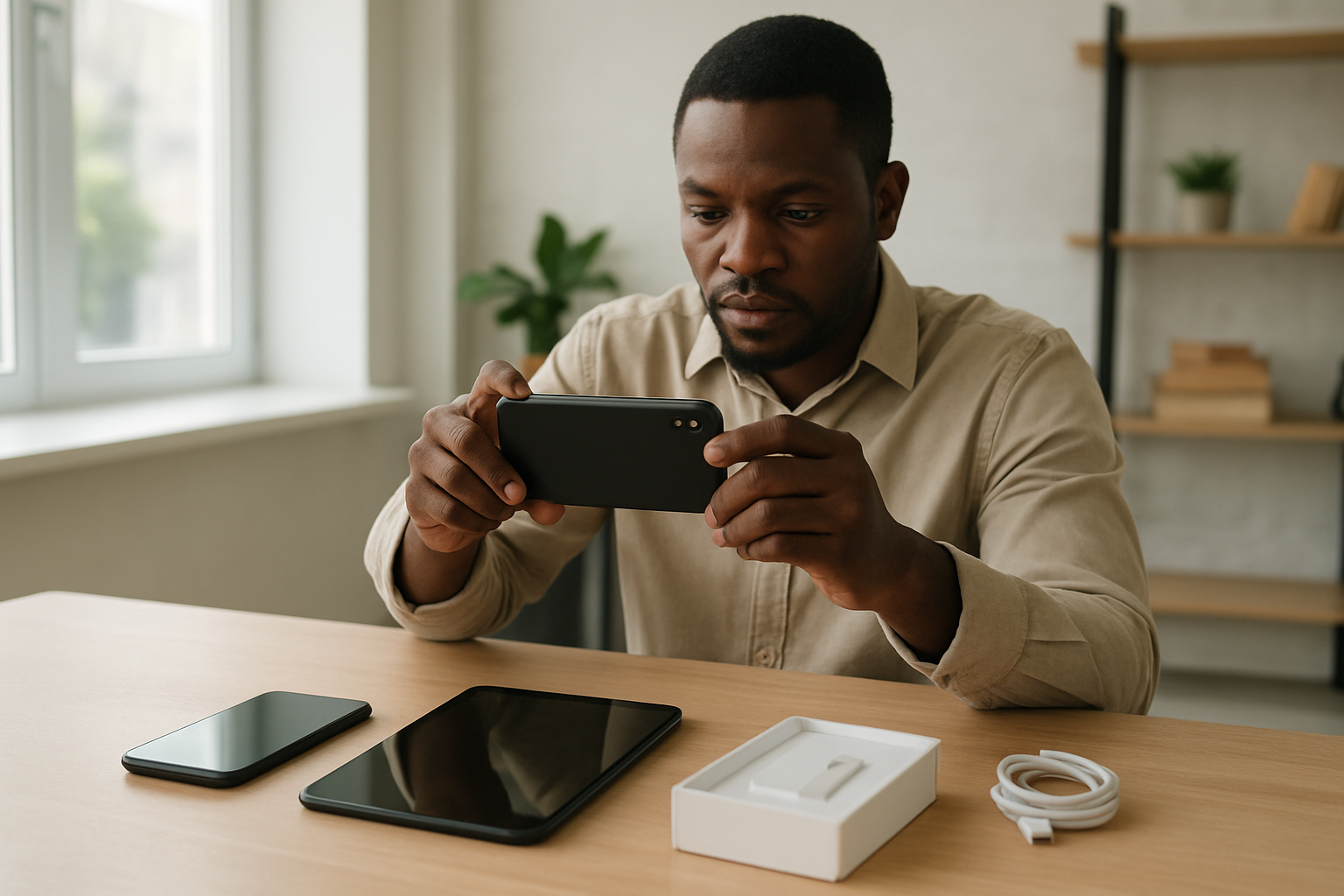
Good photographs help a buyer assess condition. Use your own pictures of the exact device rather than relying only on promotional images from the manufacturer.
Photographs worth including
- Take a clear photograph of the front with the screen on.
- Show the back of the phone or tablet.
- Photograph the sides, buttons and charging port.
- Include close-up pictures of scratches, cracks or dents.
- Show the charger, box and other accessories included in the price.
- Add a screen showing basic storage or device information, but hide sensitive identifiers.
Clean the camera lens before taking pictures and use natural light where possible. Choose a simple background that does not distract from the device. Avoid heavy filters because they can make the item’s true condition difficult to judge.
Set a price you can explain
Your price should reflect the model, age, condition, storage capacity, battery performance, included accessories and any repair history. Compare similar devices carefully, but remember that two phones with the same model name may not have the same condition or value.
Decide whether your price is fixed or negotiable. If negotiation is allowed, leave reasonable room without setting a figure that discourages serious buyers. A short explanation such as price reflects the cracked back panel can help buyers understand the offer.
Build trust without making exaggerated promises
Trust grows when the title, description, photographs and actual device tell the same story. Do not describe a repaired device as untouched, call a used phone brand new or claim that a battery is perfect without checking it.
If you sell gadgets regularly, use a consistent business name and communication style. Respond politely, answer product questions directly and update or remove listings when items are no longer available.
An honest description may attract fewer casual messages, but it can produce better conversations with buyers who understand exactly what you are offering.
Arrange inspection and payment carefully
For an in-person transaction, choose a sensible public location and allow the buyer to inspect the device without exposing your personal accounts or private files. If possible, avoid attending an unfamiliar meeting point alone.
Confirm that payment has actually been received through your own bank or payment channel. Do not depend only on a screenshot, alert message or statement that a transfer is still processing.
For delivery arrangements, agree on the item, price, delivery charge and inspection expectations clearly. Keep important communication within an organised message trail so that both parties can refer to what was agreed.
A simple phone listing template
Title: Used Google Pixel 7 128GB in Good Condition
Description: Google Pixel 7 with 128GB storage. The phone is fully functional, and the touchscreen, cameras, speakers, Wi-Fi and charging port have been tested. It has light scratches on the frame, as shown in the photographs. It comes with a charging cable and protective case. Available for inspection in Abuja. Please contact me through the marketplace to discuss pickup and payment.
Adapt this template to the actual device. Add useful facts, remove anything that does not apply and disclose every important defect.
Final checklist before publishing
- Is the model name correct?
- Does the title include the storage and condition?
- Have you tested the main features?
- Are all known faults disclosed?
- Are the photographs of the exact device?
- Have you hidden sensitive personal and device information?
- Is the location accurate?
- Does the price match the condition and included accessories?
- Can buyers understand what they will receive?
A strong phone or tablet listing makes comparison easier and gives buyers a clear reason to contact you. Prepare the device properly, describe it truthfully and provide enough visual evidence to support your claims. When the offer is ready, you can publish it on Selabaya and make it available to marketplace buyers.